
GTA 6 wanted levels: How to lose the cops and clear Heat
Lose the cops in GTA 6, clear vehicle and outfit Heat, and check why a Psycho or Irredeemable Criminal Profile blocks Surrender.
In GTA 6, break line of sight and leave the red search area or hide until the chase ends. If red recognition icons remain under the wanted stars, change the car, clothing or accessories the police recognized.
How to lose the cops in GTA 6
- When officers have sight of you, use back streets or go off-road to break their line of sight. Watch the awareness indicators and check the red search area on your map.
- Leave that area or hide under cover inside it. Stay put until the active stars clear. In Cal’s Chapter 1 tutorial, a covered section of the T.H. Power Station car park works as one hiding spot.
- Check the icons under the wanted stars before driving back into the area. They show what police can still recognize.
GTA Vice Guides’ recorded escape shows the red search area and the stars clearing. Rockstar’s David Hynd on awareness indicators.
What wanted stars and Heat mean
GTA 6 has up to six wanted stars. White stars indicate officers have you in sight. Gray stars mean officers are searching after losing sight of you. Red recognition icons show what the police know about Jason or Lucia, and can persist after the active pursuit. When you enter an area with Heat, police can start pursuing you again if they recognize you. Rockstar’s HUD images published by GamesRadar show the pursuit states. The recorded tutorial shows how they change during a chase.
If you want to start a pursuit in post-story free roam, compare the Raise Wanted Level and Raise Heat Level codes. Save first so you can return to your run when you’re done.
How to clear appearance, outfit and vehicle Heat
Use the icon still visible on the HUD to decide what to change.
| Icon | What to do in game |
|---|---|
| Face | Open the item wheel’s Items tab and change the hat or glasses you’re wearing. |
| Clothes hanger | Change your full outfit. At a shop, look for an outfit that lists removal of outfit Heat. |
| Car | Switch vehicles or find a Pay ’n’ Spray for a respray. |
If you need a fresh outfit, see where to change clothes and check outfit Heat. You can use a home wardrobe, an outfit kept in your trunk, or a changing room at many clothing stores.
Check the matching icon after each change. During Unwanted Attention, Cal introduces all three. Recorded respray and outfit prompts.
When the Surrender prompt appears
Watch for Surrender when an officer closes in on foot. A recorded encounter shows the prompt appearing inside a 24/7 Supermarket while officers are looking for Jason. Recorded surrender prompt.
If Surrender is missing, check your Criminal Profile first. Hold D-pad Right to see the active character’s profile icon, or read the full rating in Index → Jason & Lucia. Psycho and Irredeemable disable surrender; an eligible profile does not guarantee the prompt in every encounter. Follow the on-screen prompt when it is offered. In-game Psycho Help tip and PowerPyx’s Irredeemable restriction.
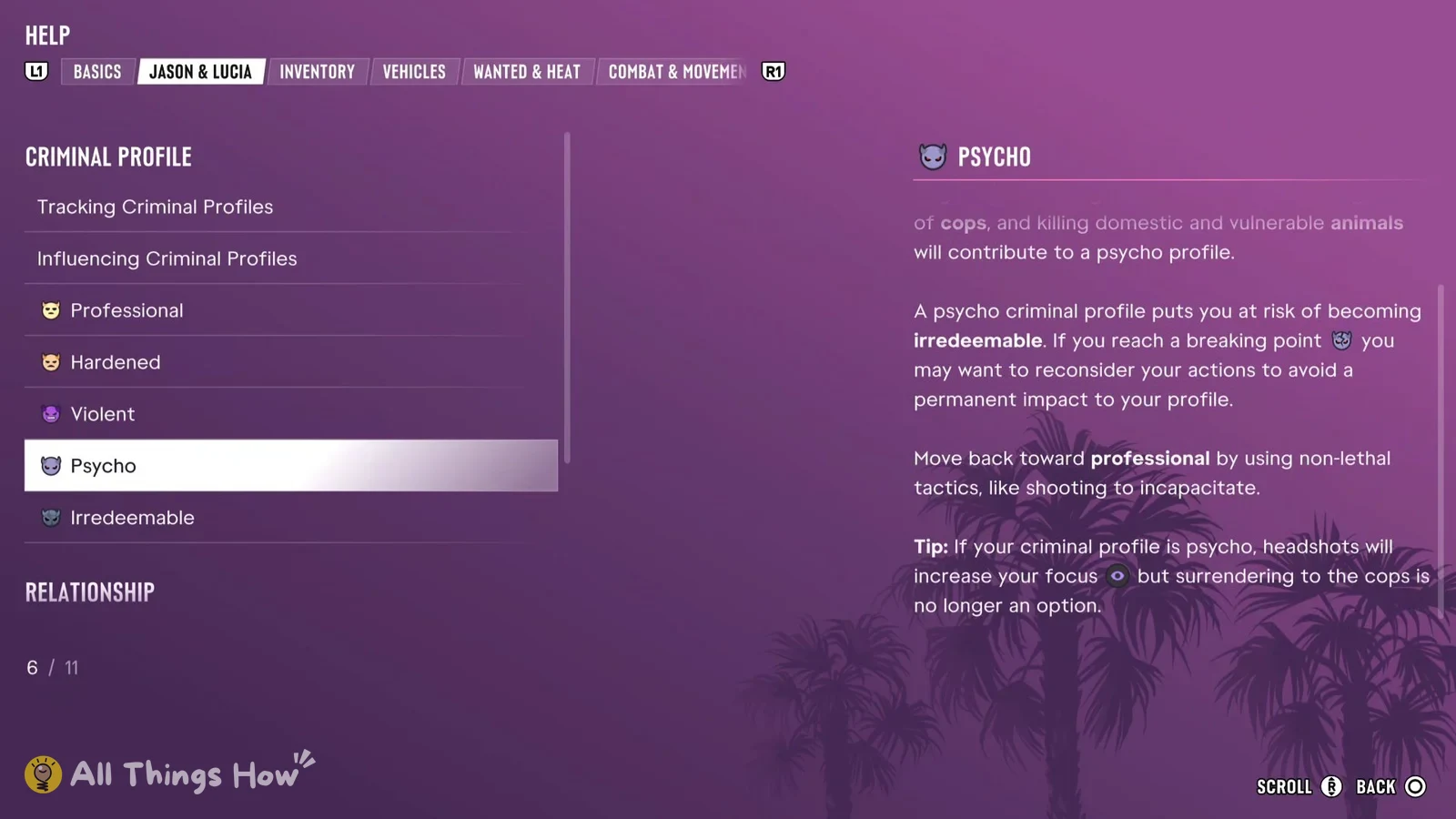
Psycho can still move back toward Professional through non-lethal play. Irredeemable is permanent. Clearing stars, changing clothes or respraying your car does not remove that profile restriction.
If your wanted level won’t clear
In a mission, follow the current objective. The Prologue and First Impressions have scripted getaway steps. In free roam, if the wanted level stays active after you escape the search, check for the November 23 launch update. Rockstar lists a fix for stuck wanted levels on PS5 and Xbox Series X|S. Rockstar’s launch update notes.
If the chase has ended but you still see a colored face beside a character portrait, check Criminal Profile versus wanted stars and Heat before trying another disguise.